







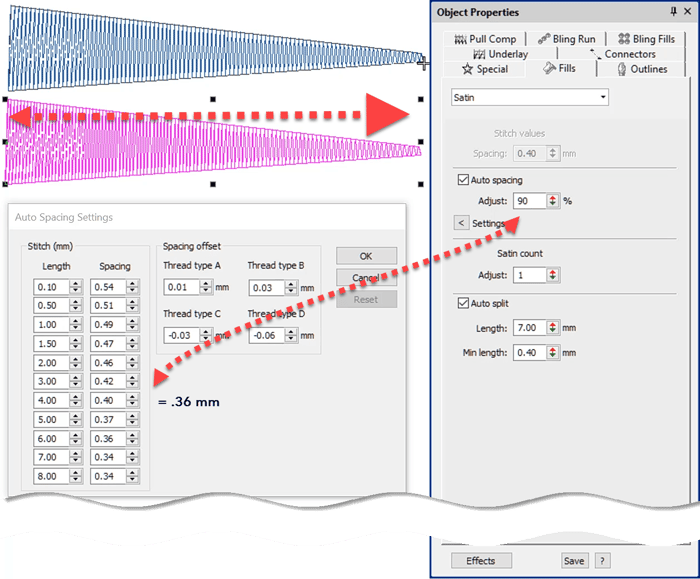
Stitch Spacing or Density
Blog | EmbroideryStudio
Stitch Spacing is a critical property for good design and may vary from one fabric to another and one object to another.Understanding how to adjust for auto spacing in columns of satin and using the...
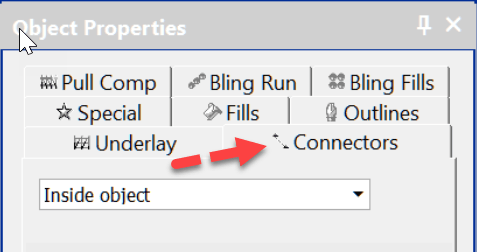
Connectors – the functions between objects
Blog | EmbroideryStudio | Tips & Tutorials | Video
Connectors are the machine functions that occur between objects or in the case of lettering inside the object and between each letter.The functions are:tie offtrimjump/run (the method of moving from one object...
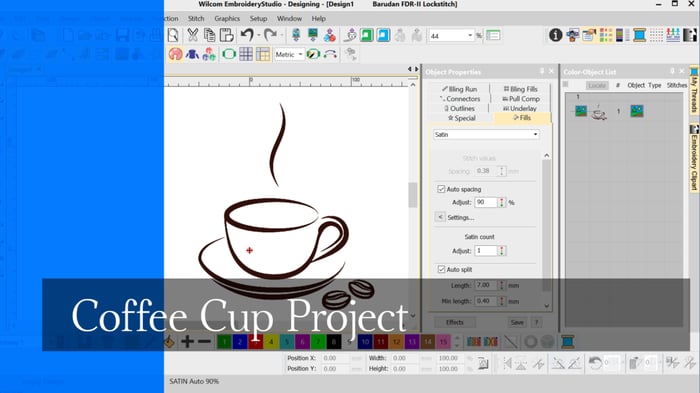
Coffee Cup Project
Blog | EmbroideryStudio | Tips & Tutorials
When learning to digitize I think it is important to begin with simple designs, after all even the most complicated embroidery design is created with a few simple tools and a few stitch...
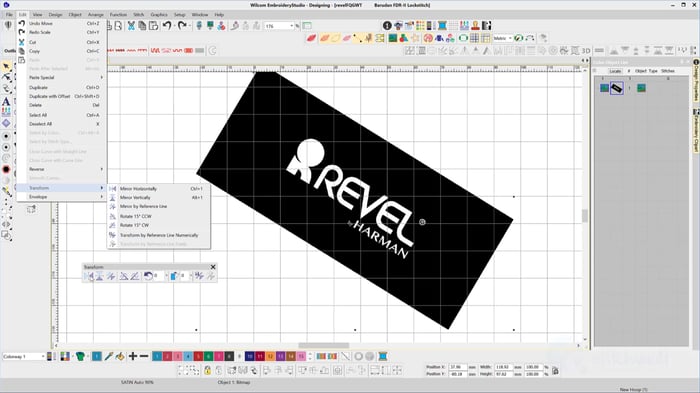
The Transform Toolbar
Blog | EmbroideryStudio | Feature overview
The Transform Toolbar contains icons (functions) to resize, reflect, rotate and slant images and or embroidery objects in a precise and accurate manner.The Transform ToolbarThe Transform by reference...
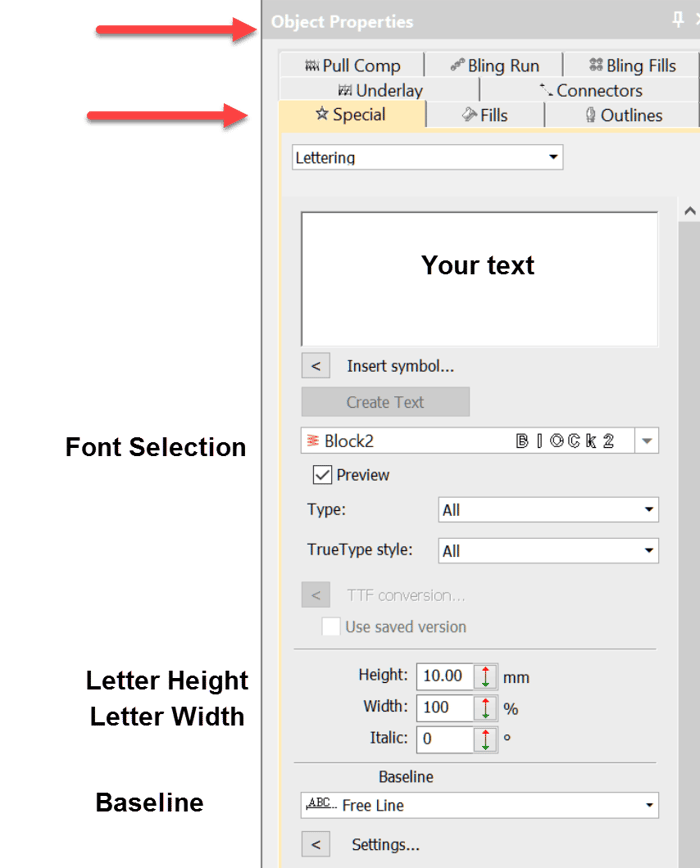
Your first line of lettering created on a Freeline
Blog | EmbroideryStudio | Lettering | Tips & Tutorials | Video
Whether you are using a lettering package or a high end digitizing system the same standard procedure to create lettering applies.When you are talking about Wilcom’s lettering it is difficult to use...

Complex Fill Tool
Blog | EmbroideryStudio | Tips & Tutorials | Video
The complex fill tool is used to create larger shapes where a single stitch angle is required, the tool is generally associated with tatami stitching, of course the size of the object will also help...
Column A tool
Blog | EmbroideryStudio | News and Stories | Video
In Decorating the tool is called “Digitize Column” and in Designing “Column A”The two variants are found in the Traditional digitizing toolbar in Designing and the Graphic...
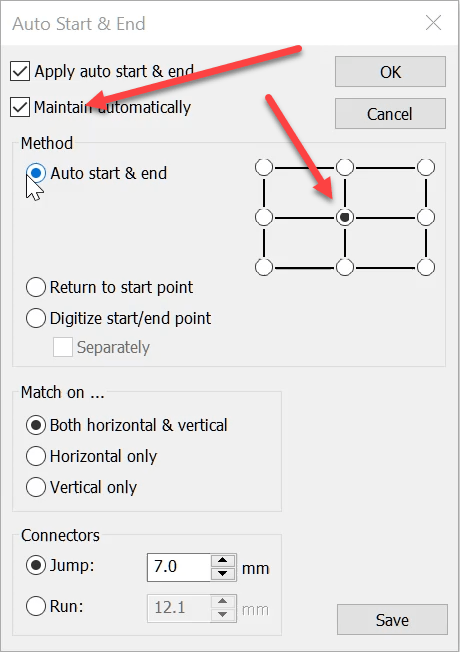
Auto Start End
Blog | EmbroideryStudio | Tips & Tutorials | Video
The Auto Start End feature is critical to have set correctly to avoid driving the needle into a hoop but it is more useful than this basic function.It is possible to place the start and finish point at...

A taste of what Wilcom is bringing in 2019
Blog | EmbroideryStudio
EmbroideryStudio e4.2 COMING SOON64-bit is right around the cornerAs Wilcom flies towards 2019, users from around the world have been anticipating what they will see in the New Year. Well, the answer is an exciting...
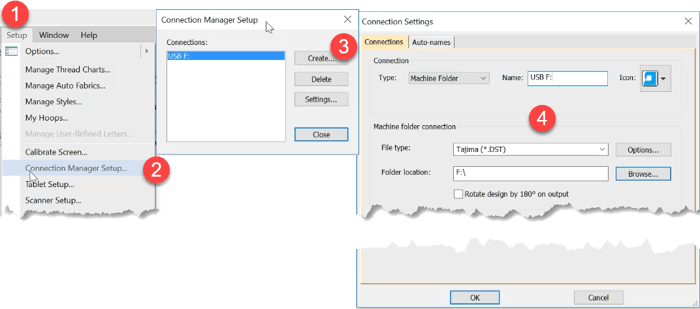
Export a machine file to a USB Drive
Blog | EmbroideryStudio | Tips & Tutorials | Video
Thanks to Paula, Anne Marie, Crystal, Bob and others who have raised this issue.Some people including myself have been frustrated that Windows 10 is not remembering the default drive to export machine files...

Auto Kerning
Blog | EmbroideryStudio | Feature overview | Tips & Tutorials | Video
Kerning is the term used to describe the space between letters.Even in print different letters have different kerning values.Two O’s are usually spaced closer together than two I’s. This is...
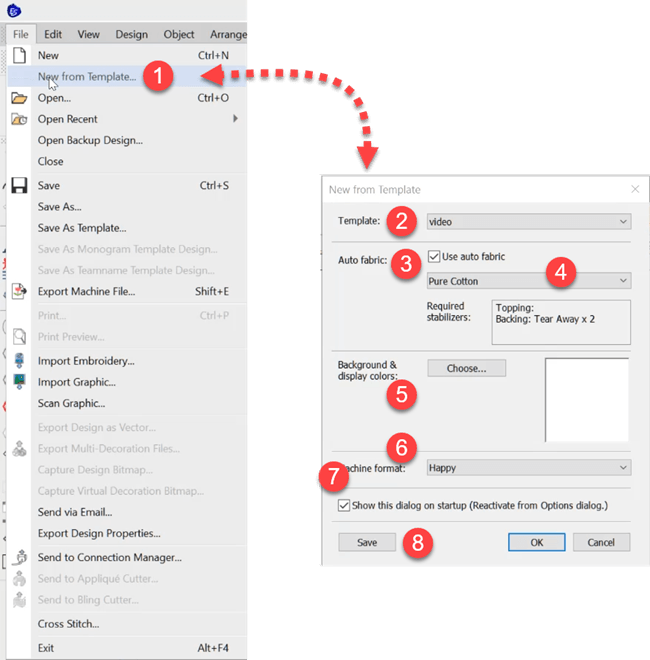
Auto Fabric Assistant
Blog | EmbroideryStudio | Tips & Tutorials
To do this The Auto Fabric Assistant controls three quality control properties in your designs.Pull compensationUnderlay settingsStitch Spacing/DensityThese settings will change depending on the fabric...